Identity
Name a department, choose its kind and set how it appears on the CAD and website.
The Identity tab is the first tab in the department editor. It controls how the department is named and shown.
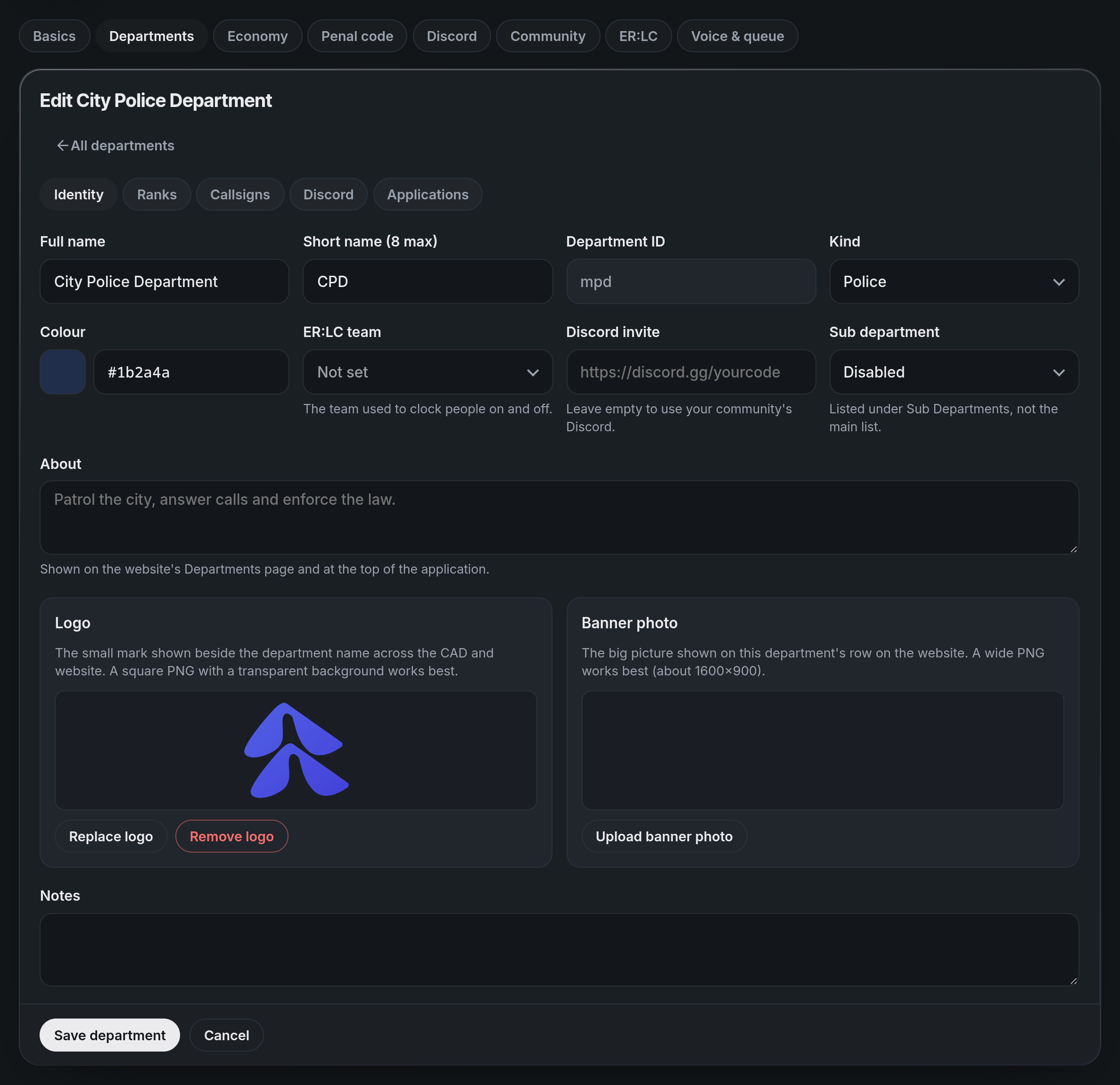
Fields
| Field | Description |
|---|---|
| Full name | The department's full name, for example City Police Department. |
| Short name | Up to 8 characters, for example CPD. Used on the roster, MDT and department lists. |
| Department ID | A permanent identifier using lowercase letters, numbers and dashes. For a new department it fills in from the short name. It can't be changed later. |
| Kind | Police, Fire / EMS, DOT / Towing, Judicial / Court or Dispatch. See Department Kinds. |
| Colour | The department's accent colour as a hex code, such as the stripe beside its row in the department list. |
| ER:LC team | The in-game team used to clock people on and off duty: Police, Sheriff, Fire, EMS, DOT or Civilian. Leave as Not set if the department does not clock in through ER:LC. |
| Discord invite | An invite to the department's own Discord. Leave empty to use your community's Discord. |
| Sub department | Enabled lists the department under Sub Departments on the website instead of the main list. |
| About | A short description shown on the website's Departments page and at the top of the application. |
| Notes | Notes for your configurators, such as reminders about the department's setup. |
Choose the Department ID carefully
The Department ID is used in links such as the department's application page, and in every record the department creates. It is fixed once the department is saved, so pick something short and lasting, such as lspd or fire.
Logo and Banner
| Image | Where it appears | Recommended format |
|---|---|---|
| Logo | Beside the department name across the CAD and website. | A square PNG with a transparent background |
| Banner photo | On the department's row on the website's Departments page. | A wide PNG, about 1600×900 |
Use Upload, Replace and Remove to manage each image. The same upload limits apply as on Basics.