Penal Code
Choose the built-in charge schedule or build a custom list of charges for the CAD.
The Penal code tab decides which charges officers can choose on the CAD. You can use the built-in schedule or keep your own custom list.
Built-In or Custom
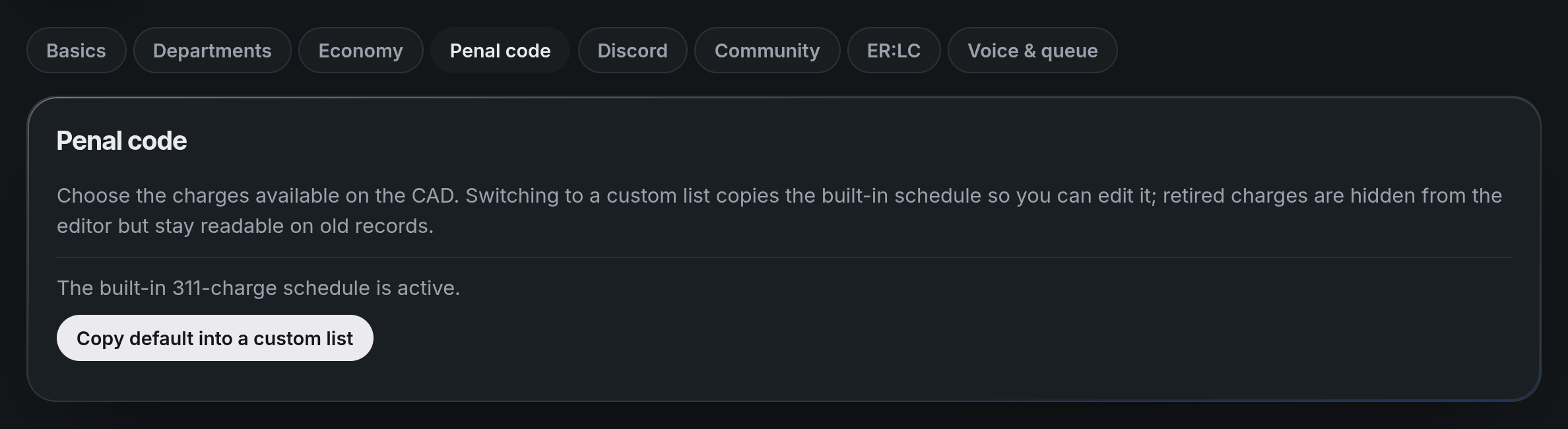
Every new site starts with the built-in schedule of 311 charges. It covers person offences, property, traffic, weapons and more, with fines, jail time and points already set.
Switching to a Custom List
Copy the default schedule
Select Copy default into a custom list. All 311 built-in charges are copied into an editable list.
Edit your charges
Search, edit, add and remove charges as described below.
Save the penal code
Select Save penal code. Your custom list goes live on the CAD. Nothing changes on the CAD until you save.
Editing Charges
Use Search charges to find a charge by name. Charges are grouped by category, with a count for each group.
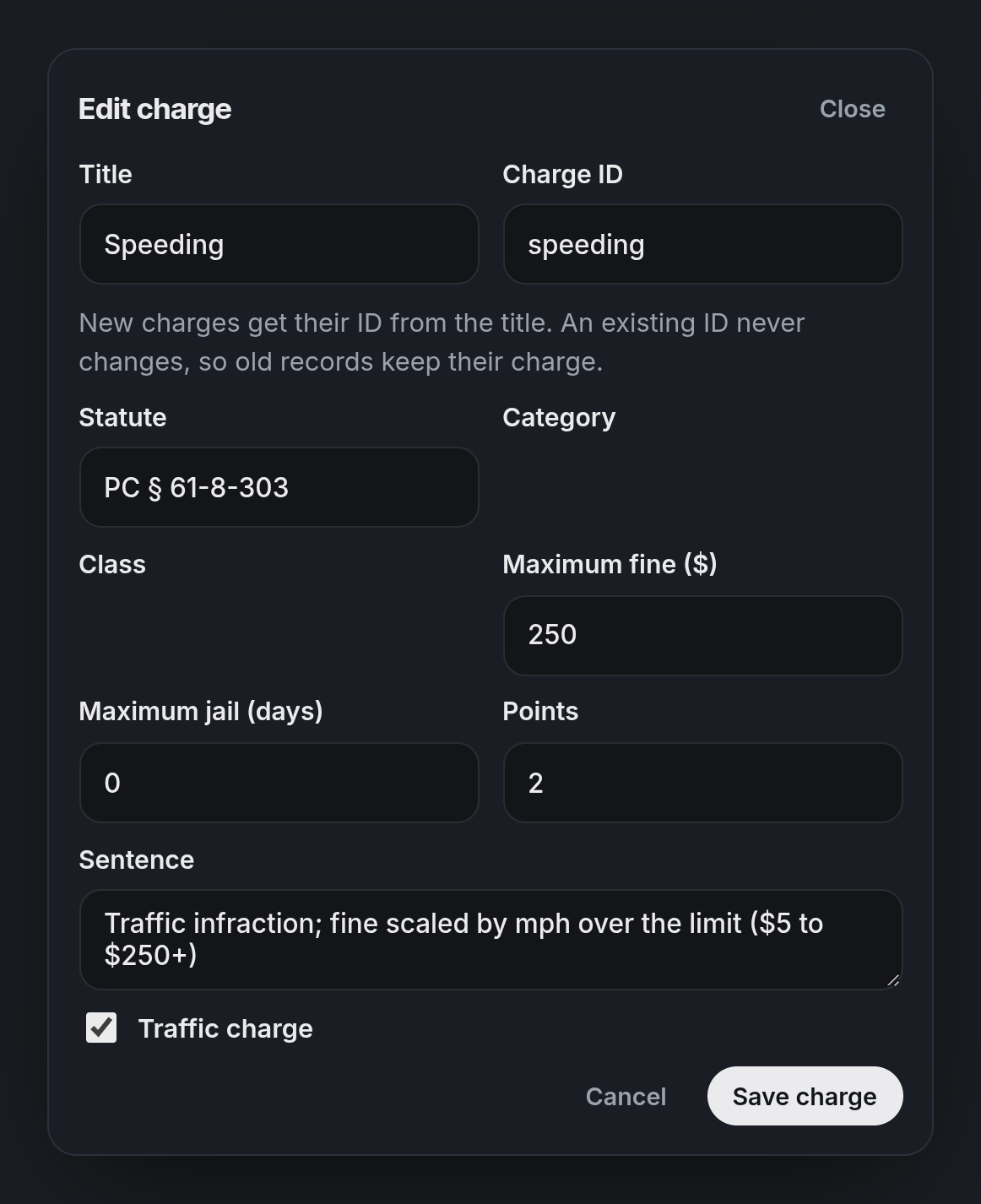
Select the pencil button on a charge to edit it, or Add charge to create a new one.
| Field | Description |
|---|---|
| Title | The charge's name, for example Speeding. |
| Charge ID | A permanent identifier. New charges get their ID from the title. |
| Statute | The statute reference, for example PC § 61-8-303. |
| Category | The group the charge is listed under. See Categories. |
| Class | Infraction, Misdemeanor or Felony. |
| Maximum fine ($) | The highest fine an officer can give. |
| Maximum jail (days) | The longest jail time an officer can give. |
| Points | Licence points added for the charge. |
| Sentence | A short note on how the charge is sentenced. |
| Traffic charge | Marks the charge as a traffic offence. |
Select Save charge to keep it in the list, then Save penal code to publish the list.
Charge IDs never change
An existing charge's ID stays the same even if you rename it, so old records keep pointing at the right charge. Two charges can't share an ID.
Categories
| Category | Typical charges |
|---|---|
| Homicide & person offenses | Assault, battery, homicide and other offences against people |
| Theft, fraud & property | Theft, burglary, fraud and damage to property |
| Controlled substances | Possession, sale and manufacture of drugs |
| Traffic & DUI | Speeding, reckless driving and driving under the influence |
| Firearms & weapons | Weapon possession and use |
| Justice, officers & government | Obstruction, resisting arrest and offences against officials |
| Public order & other | Disorderly conduct and anything that fits nowhere else |
Removing Charges
Select the delete button on a charge to remove it, then Save penal code. Removed charges are retired: they are hidden from the editor and from officers, but stay readable on old records.
Going Back to the Built-In Schedule
Select Use the built-in schedule instead. This saves straight away. Your custom charges are retired, so records that used them still show them correctly.
A custom list needs charges
A custom list must have at least one charge. If you want no custom charges, switch back to the built-in schedule instead.