Economy
Set starting money, on-duty pay and membership claims for your community.
The Economy tab sets how much money players start with, how much members earn on duty, and which memberships can be claimed. Saved changes apply straight away. Money that has already been paid out is not changed.
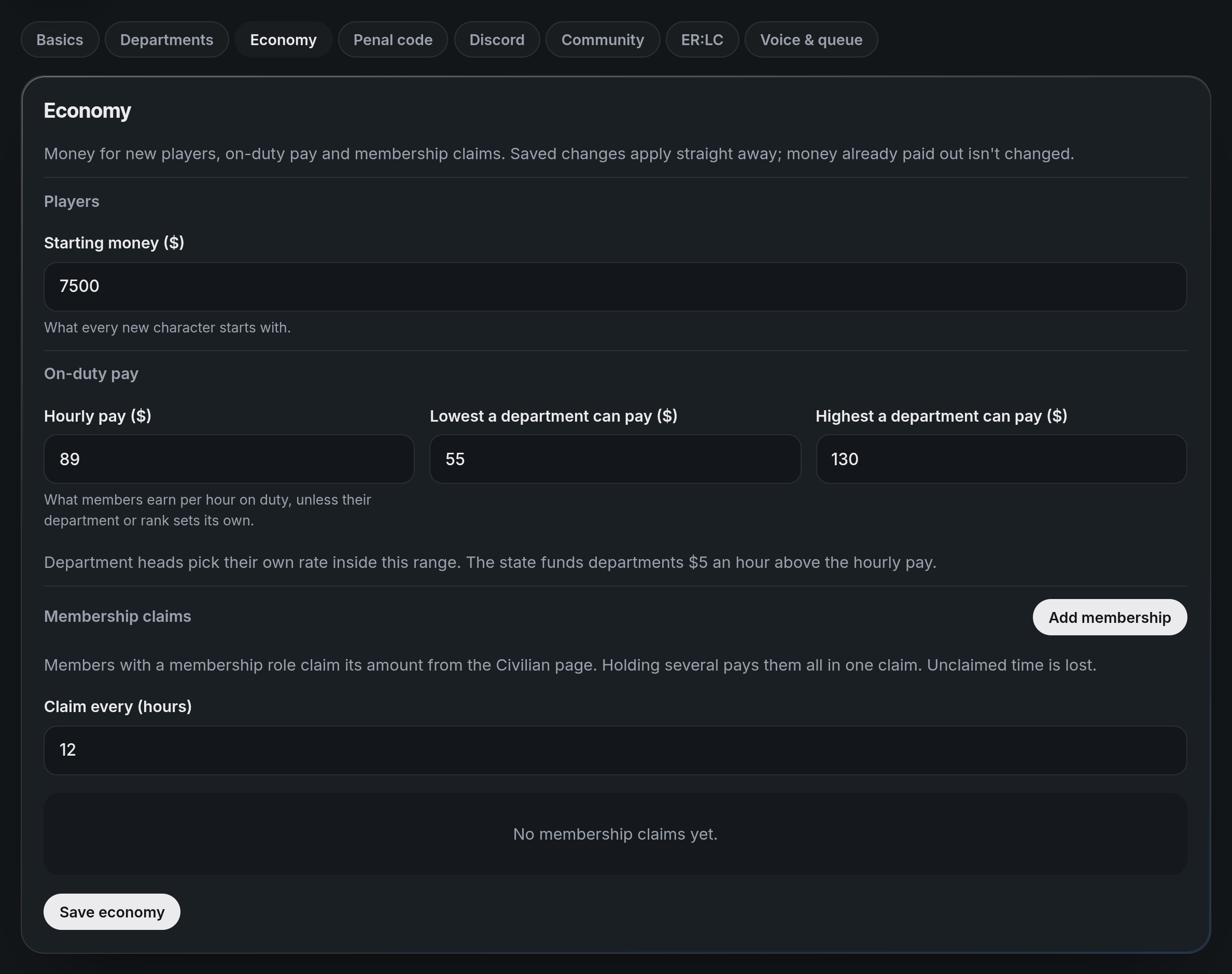
Players
| Field | Description |
|---|---|
| Starting money ($) | What every new character starts with. |
On-Duty Pay
| Field | Description |
|---|---|
| Hourly pay ($) | What members earn per hour on duty, unless their department or rank sets its own rate. |
| Lowest a department can pay ($) | The lowest hourly rate a department head can choose. |
| Highest a department can pay ($) | The highest hourly rate a department head can choose. |
Department heads pick their own rate inside this range. The state funds each department $5 an hour above the hourly pay.
Keep the range sensible
Set Hourly pay between the lowest and highest department rates, so departments that never change their rate still fall inside the range.
Membership Claims
Memberships let players with certain Discord roles, such as server boosters or donors, claim a regular payment.
- Members claim memberships from the Civilian page on the CAD.
- Holding several membership roles pays them all in one claim.
- Claim every (hours) sets how often a membership can be claimed. Time that is not claimed is lost, so payments do not build up.
Adding a Membership
Select Add membership
Select Add membership next to the Membership claims heading.
Fill in the membership
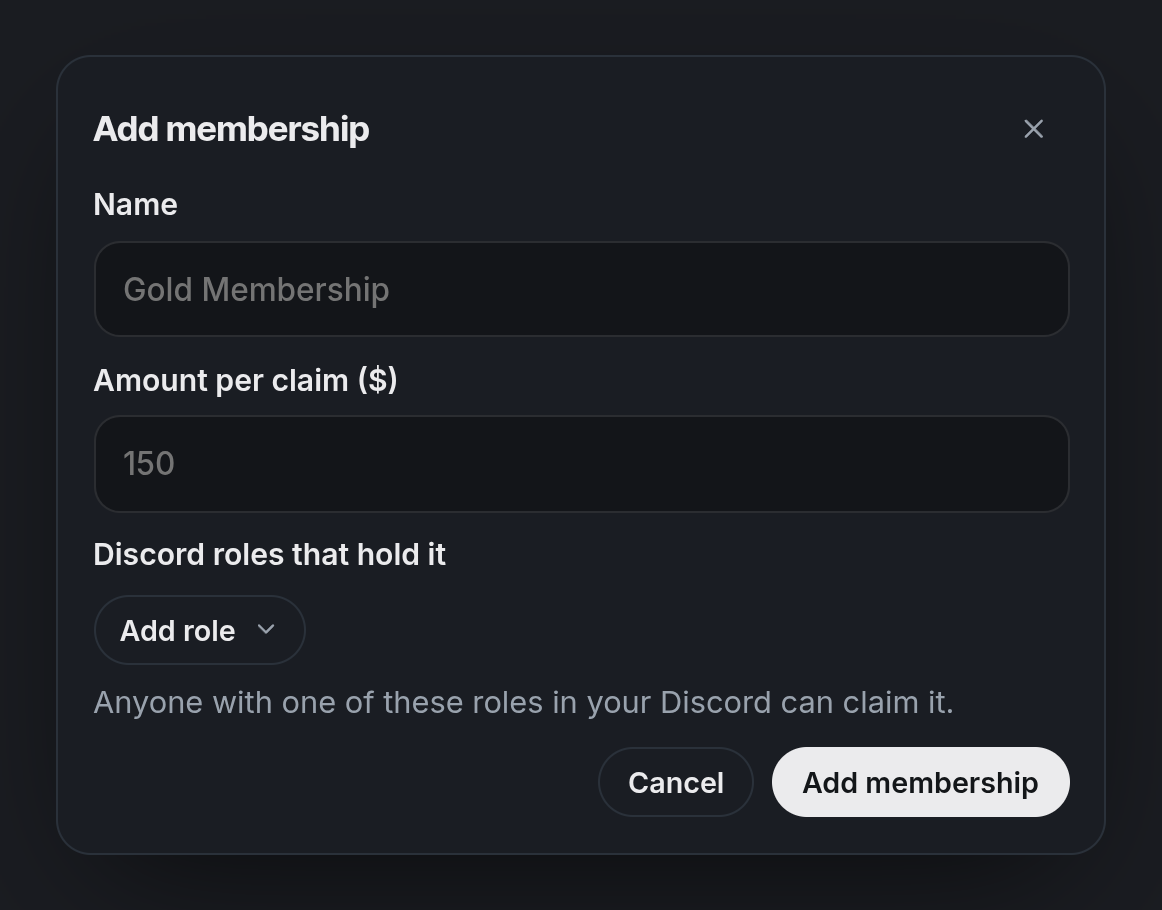
| Field | Description |
|---|---|
| Name | The membership's name, for example Gold Membership. Every membership needs a name. |
| Amount per claim ($) | How much is paid each claim. |
| Discord roles that hold it | Anyone with one of these roles in your Discord can claim it. |
Select Add membership to add it to the list.
Save the economy
Select Save economy. Memberships are only stored once you save.
Each membership in the list shows its amount per claim and how many Discord roles hold it. Use Edit to change a membership or Remove to delete it, then select Save economy.
Connect Discord first
Membership roles are checked against your community server. If the save says to set your Discord server first, enter your Community server ID on the Discord tab.